# Write your own bookmarklet, the tiny program that yields productivity hacks!
> Learn about bookmarklet, the tiny program that runs inside your browser's bookmarks bar.
- Author: Gabriel Koo (AWS Community Builder)
- Published: 2021-06-06
- Topics: bookmarklet, automation, productivity, JavaScript, chrome, safari, firefox
- HTML: https://gabrielkoo.com/blog/productivity-hacks-with-bookmarklets/
- Original canonical URL:
People always perform their work on web browsers. You might be performing some repetitive steps every day during work, and you might have wondered - it would be really nice if I can install a browser extension that simplify my works with a single click!
Yeah, there are tons of browser extensions available, but what if you work in a company that prohibits you from installing browser extensions that are not approved? IT departments usually ban the installation of unverified extensions for a reason. I randomly found an article from Google - , browser extensions could be dangerous.
Then recently, I came across the idea of using "[bookmarklets](https://en.wikipedia.org/wiki/Bookmarklet)" from my colleague:
> *A bookmarklet is a bookmark stored in a web browser that contains JavaScript commands that add new features to the browser.*
I'll illustrate what is a bookmarklet in a few examples.
## Listing Google search results of the current page - with a single click
Say you are an SEO specialist and one of your daily job is to look at which URLs of your domain appear on Google:
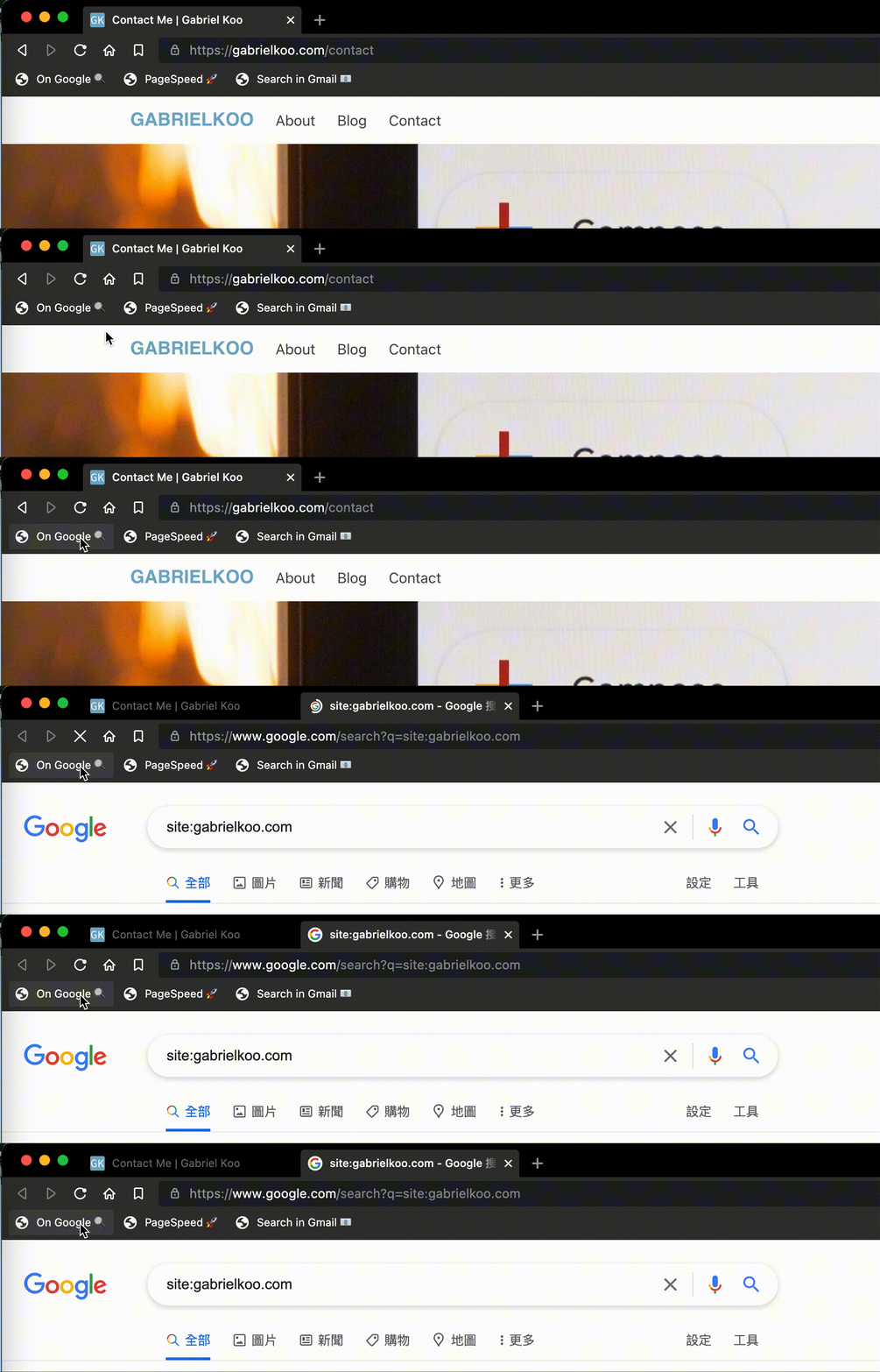
Source code? Actually not that complex:
```javascript
javascript:window.open('https://www.google.com/search?q=site:'+window.location.host)
```
While the code itself is very short, it actually represents a **workflow** of what an SEO specialist might always do:
1. Remember / copy the full domain name of a website, say *somedomain.com*
2. Open a new browser tab
3. Enters *google.com*
4. In the search bar, enter the token *site:*
5. Paste / type the domain, so that the search field becomes e.g. *site:somedomain.com,* and then press enter
If one is normally using **5 seconds** to do that, now you can run the whole "workflow" within **half a second**. If one does that check once every working day, when annualised the bookmarklet is saving you **(5 - 0.5)** × **20** × **12 = 1,080 seconds = 18 minutes**.
While this might sound totally useless to you, I see an opportunity to speed up a lot of our tiny chore tasks. What you need is imagination!

Let's look at two more examples I just thought of:
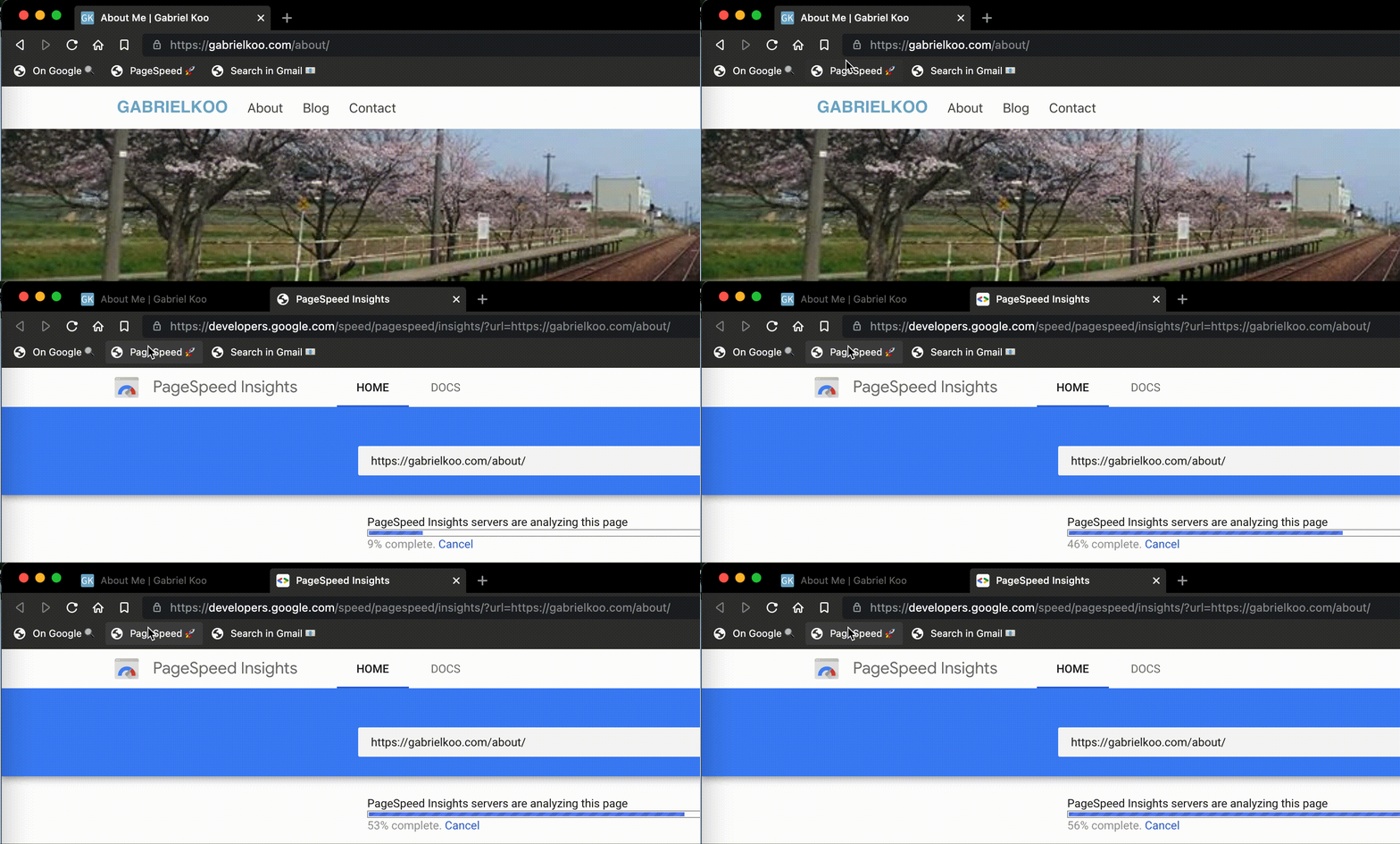
### Run PageSpeed Insights for current page
Another "workflow" that a website owner might always do - check the loading speed of your website against Google pageSpeed Insights. Again, it is a simple one, but it did save your time right?
```javascript
javascript:window.open('https://developers.google.com/speed/pagespeed/insights/?url='+window.location)
```
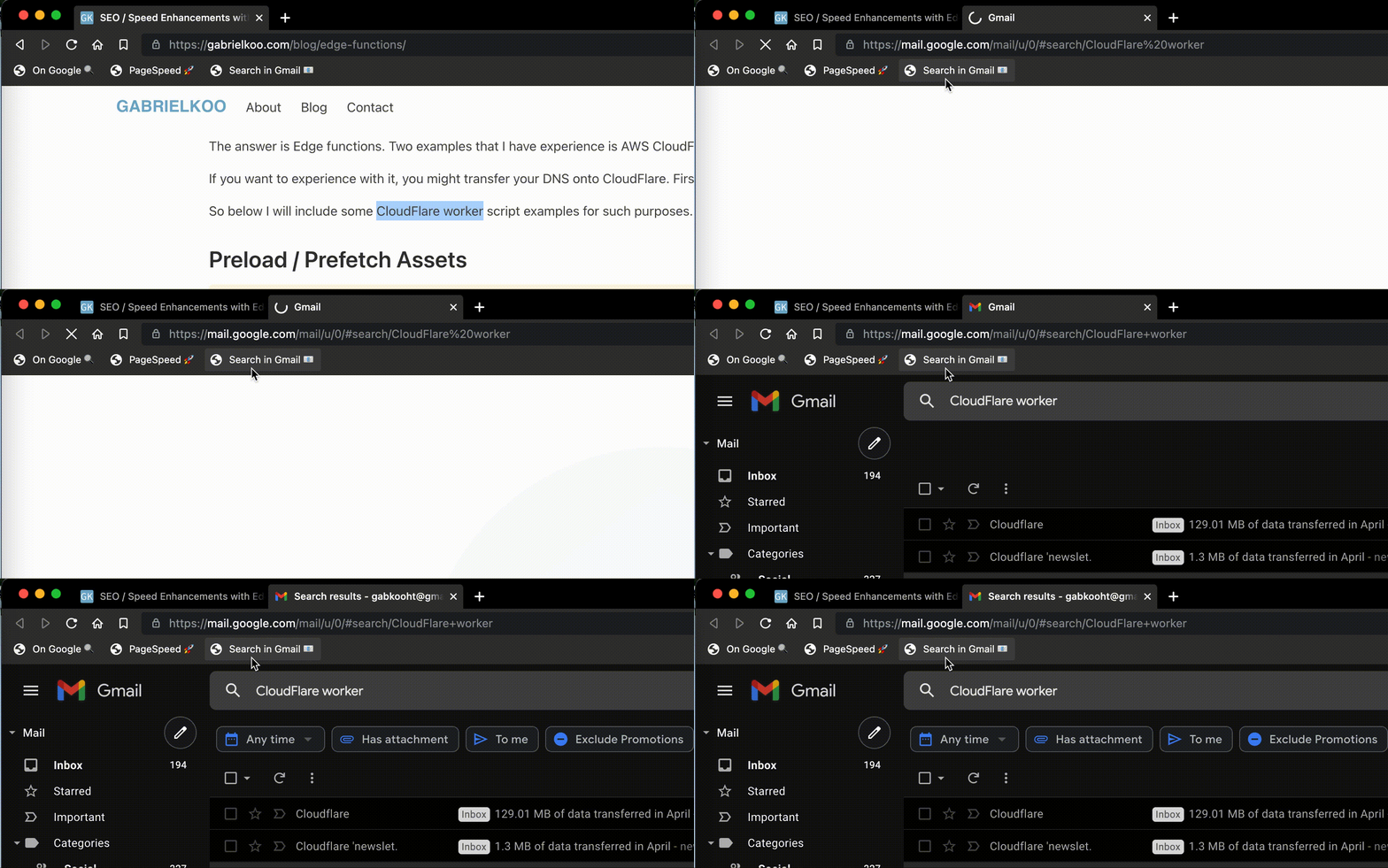
### Search for the selected text within your Gmail
Perform a search on Gmail for the highlighted text in any webpage.
```javascript
javascript:window.open('https://mail.google.com/mail/u/0/#search/'+window.getSelection().toString())
```
### So how to write my own bookmarklet?
I was using this project:
Write your own code, and then the tool will URL encode your JavaScript into the URI format:
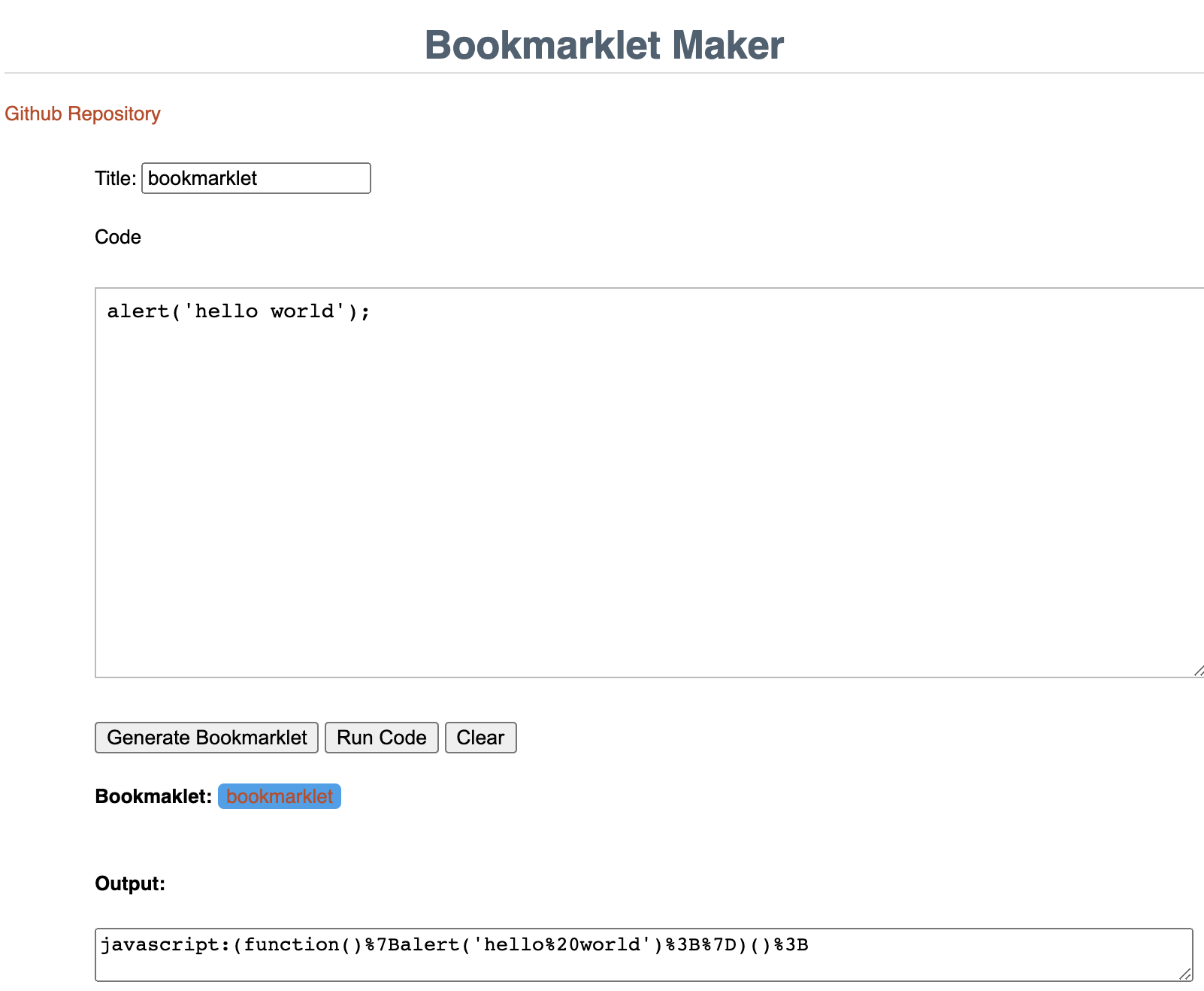
Lastly, paste your converted code into the "URL" field when you create a new bookmark.
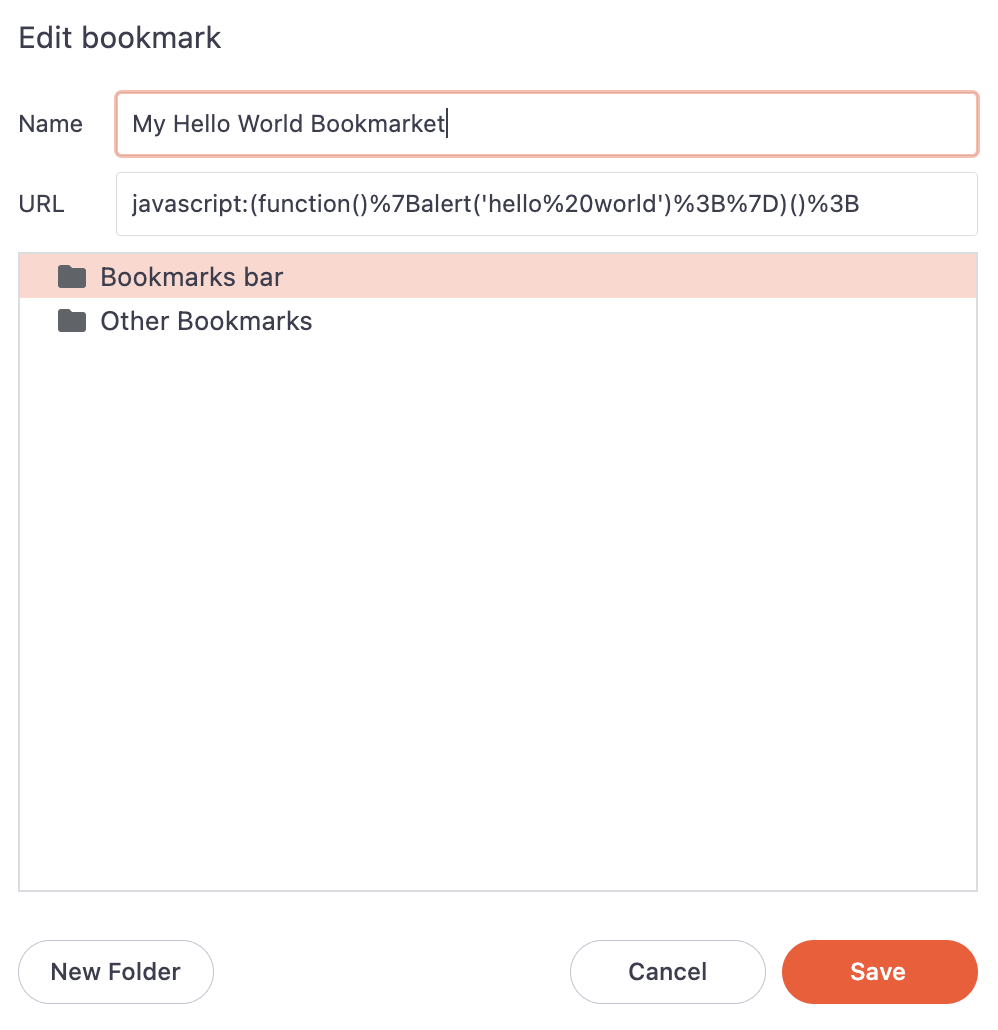
That's it!
### It's cool, but I don't see any particular benefits?
To me, there are a few things I like about bookmarklets:
* "Cross-platform" and could be distributed easily
- Most (modern) browsers speak JavaScript. Actually, bookmarklets works on mobile browsers too!
* Less evil than a typical browser plugin
- you have to deep dive to verify it's really safe
* Easier to understand
- as compared to VBA / .exe (very personal opinion)
* Leverage a lot of browser APIs or even integrate with 3rd party services
- though that depends on the security setup of each website (e.g. security headers like CSP)
* Send your data to a lot of custom URI schemes, e.g.
- `mailto:hi@gabrielkoo.com?subject=Thanks+for+sharing+about+bookmarklets!&body=`;
- or URIs for mobile apps.
P.S. Who am I? I am actually a Full Stack / DevSecOps Engineer, but occasionally I do help setup some productivity hacks for my company. Recently I built a hot desk booking system for my company's new studio, with live desk vacancy preview and full booking log - all powered on Google Workspace with minimal Apps Script.